Software Setup
Warning
Todo Section!
There are two primary methods for getting your ID-4001-WiFi’s software up and running, Using AVRDUDE and downloading a binary, or Building From Source.
Using AVRDUDE
First install AVRDUDE,
# Update
sudo apt update

# Install build essentials
sudo apt install gcc build-essential

# avr compiler, binutils and avr-libc
sudo apt install gcc-avr binutils-avr avr-libc gdb-avr

# Install avrdude
sudo apt install avrdude

# You may also need the libusb tools for libusb programming
udo apt install libusb-dev
# Install avrdude
sudo pacman -S avrdude
# Using MAC ports
sudo port install avrdude

# Using PKG
sudo pkg install avrdude
There is a Windows Fork of AVRDUDE, navigate to their releases page and download the latest zip.

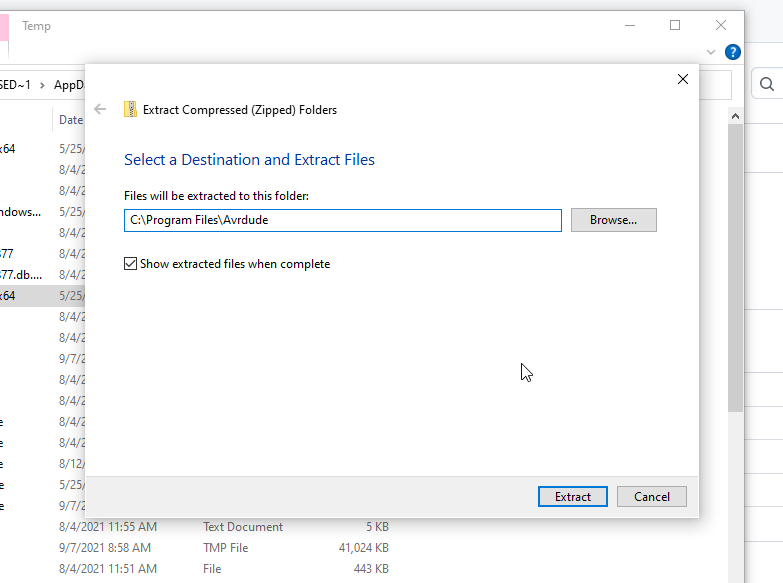
Extract the .zip file and find the packaged AVRDUDE inside,
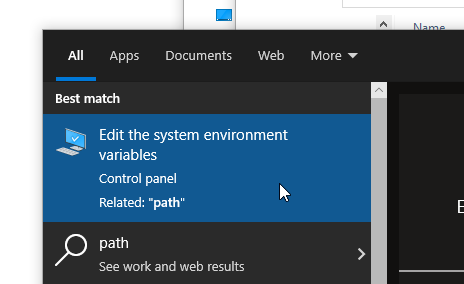
If you want avrdude to appear on your path you’ll need to Edit environment variables,
Search for the tool
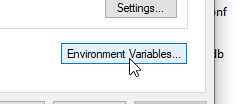
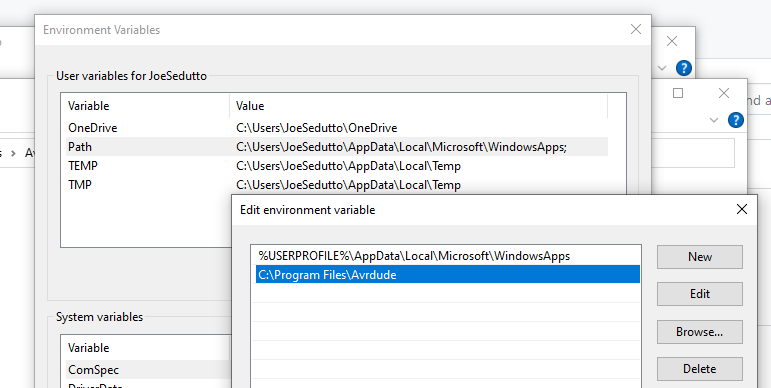
Edit the vars
Check if it works.
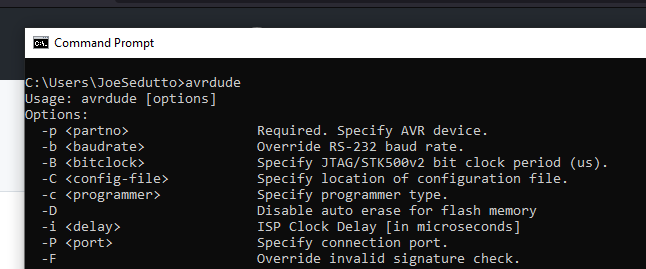
Next, download the latest .hex file from the id-4001-wifi releases page.
Save the .hex file somewhere locally and plug the id-4001-wifi board into
your computer with a USB-A to USB-B cable.
Flash the memory!
avrdude -p m2560 -c wiring -P /dev/ttyACM0 -b 115200 -D -U flash:w:/tmp/id-4001-wifi_firmware.hex
avrdude -p m2560 -c wiring -P /dev/ttyACM0 -b 115200 -D -U flash:w:/tmp/id-4001-wifi_firmware.hex
avrdude -p m2560 -c wiring -P /dev/ttyACM0 -b 115200 -D -U flash:w:/tmp/id-4001-wifi_firmware.hex
avrdude -p m2560 -c wiring -P usb:2341:0042 -b 115200 -D -U flash:w:/tmp/id-4001-wifi_firmware.hex
When flashed, the id-4001-wifi should reboot and play a small spiral startup animation, your system is ready! See the following sections for configuration Options
Building From Source
Building from source requires several dependencies though none too extreme, the main
build tool is pio witch will handle downloading the right libraries, compiler and
everything else for you.
One advantage to building from source is that you can receive new feature updates before a release is published, be warned these can introduce new bugs as well!
# Update
sudo apt update

# Install build essentials
sudo apt install build-essential git curl wget

# You must have python on your system
python3 -c "$(curl -fsSL https://raw.githubusercontent.com/platformio/platformio/master/scripts/get-platformio.py)"

# Get the firmware
git clone https://gitlab.com/KenwoodFox/ID-4001-WiFi.git
cd ID-4001-WiFi/firmware/id-4001-WiFi

# Build and flash
make
make flash
# Install PIO (yay)
sudo yay -S platformio

# Install PIO (paru)
paru platformio

# Alternativly, download the files from https://aur.archlinux.org/packages/platformio and invoke
# makepkg -si

# Get the firmware
git clone https://gitlab.com/KenwoodFox/ID-4001-WiFi.git
cd ID-4001-WiFi/firmware/id-4001-WiFi

# Build and flash
make
make flash
# Todo!
# Todo!